Parameter
Parameters are objects in the block's parameters array.
Common Properties
datum
| Type | object |
|---|
See the Datum section.
defaultValue
| Type | string |
|---|
The default value of the parameter, as shown in the mobile app editor when a parameter is left empty.
"defaultValue": "50"
key
| Type | string |
|---|
The label for the parameter.
This value can be modified to change the parameter's display name in the editor, unlike other attributes of a block which are hardcoded to its block type. (This is used to label some blocks which don't have hardcoded block names, such as Wait Til Timestamp.) However, key modifications are not guaranteed to work with certain block types, such as Set Invisibility.[needs verification]
"key": "percent"
type
| Type | number |
|---|
A magic number that corresponds to the parameter's type and behavior.[needs verification]
For a full list of possible values, see Viewing Types.
"type": 57
value
| Type | string |
|---|
The parameter's value.
"value": "100"
variable
| Type | string |
|---|
Optional. An ID used in rules to reference
event parameters. Overrides the value parameter with its contents.
If datum does not exist, then the player will attempt to find the following types with this reference:
- Variable (If this isn't found, the player will try to find a...)
- Trait
- Event parameter
Example missing.
Datum
The datum property determines the parameter's data contents.
Each datum exclusively contains one of the following (see each respective page for more information):
- An operator block
- Includes HSB, RGB and randomized color operators
- A trait
variableproperty with a variable reference- An image for the Set Image block[needs elaboration]
Player Priority
The player checks datum objects in the following order:[needs verification]
Math Operator Blocks
Here is a Move Forward block with an addition (+) operator block as its datum:

{
	"block_class": "method",
	"type": 23,
	"description": "Move Forward",
	"parameters": [{
		"value": "100",
		"defaultValue": "100",
		"key": "",
		"type": 57, // MultiPurposeNumberDefault: parameter
		"datum": {
			"keyboardName": "Add",
			"block_class": "operator",
			"type": 4000, // MathOperatorAdd: block
			"description": "+",
			"params": [{
				"defaultValue": "2",
				"value": "-1",
				"key": "",
				"type": 57
			}, {
				"defaultValue": "3",
				"value": "10",
				"key": "+",
				"type": 57
			}]
		}
	}]
}
Math operator datums are commonly nested:

{
	"block_class": "method",
	"description": "Change X by",
	"type": 27,
	"parameters": [{
		"value": "100",
		"defaultValue": "100",
		"key": "",
		"type": 57, // MultiPurposeNumberDefault: parameter
		"datum": {
			"keyboardName": "Add",
			"block_class": "operator",
			"type": 4000, // MathOperatorAdd: block
			"description": "+",
			"params": [{
				"defaultValue": "2",
				"value": "-1",
				"key": "",
				"type": 57 // MultiPurposeNumberDefault: parameter
			}, {
				"defaultValue": "3",
				"value": "3",
				"key": "+",
				"type": 57, // MultiPurposeNumberDefault: parameter
				"datum": {
					"block_class": "operator",
					"type": 4004, // MathOperatorRandom: parameter
					"description": "Random",
					"params": [{
						"defaultValue": "1",
						"value": "10",
						"key": "",
						"type": 45 // RandomLow: parameter
					}, {
						"defaultValue": "100",
						"value": "50",
						"key": "to",
						"type": 46 // RandomHigh: parameter
					}]
				}
			}]
		}
	}]
}
Color Operator Blocks
Plain colors
Colors picked from the editor's color palette do not use datums.
The value property can be edited. Changes are reflected in the editor view accordingly.
However, if a datum is added, this value will be overridden.

{
	"block_class": "method",
	"description": "Set Trail Color",
	"type": 32,
	"parameters": [{
		"defaultValue": "HSB(288,57,43)",
		"value": "HSB(0,0,0)",
		"key": "to",
		"type": 44 // LineColor: parameter
	}]
}
Random colors
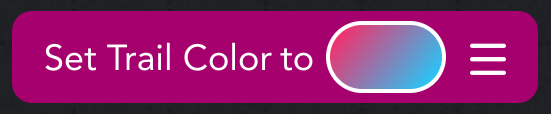
{
	"block_class": "method",
	"description": "Set Trail Color",
	"type": 32,
	"parameters": [{
		"defaultValue": "HSB(288,57,43)",
		"value": "HSB(353,96,83)", // plain color value is overridden by datum
		"key": "to",
		"type": 44, // LineColor: parameter
		"datum": {
			"type": 5000, // ColorOperatorRandom: block
			"block_class": "operator",
			"description": "Random"
		}
	}]
}
RGB colors

{
	"block_class": "method",
	"description": "Set Trail Color",
	"type": 32,
	"parameters": [{
		"defaultValue": "HSB(288,57,43)",
		"value": "HSB(288,57,43)", // plain color value is overridden by datum
		"key": "to",
		"type": 44, // LineColor: parameter
		"datum": {
			"type": 5001, // ColorOperatorRGB: block
			"block_class": "operator",
			"description": "RGB",
			"params": [{
				"value": "255",
				"defaultValue": "34",
				"key": "R",
				"type": 57 // MultiPurposeNumberDefault: parameter
			}, {
				"value": "0",
				"defaultValue": "246",
				"key": "G",
				"type": 57 // MultiPurposeNumberDefault: parameter
			}, {
				"value": "255",
				"defaultValue": "217",
				"key": "B",
				"type": 57 // MultiPurposeNumberDefault: parameter
			}]
		}
	}]
}
HSB colors

{
	"block_class": "method",
	"description": "Set Trail Color",
	"type": 32,
	"parameters": [{
		"defaultValue": "HSB(288,57,43)",
		"value": "HSB(288,57,43)", // plain color value is overridden by datum
		"key": "to",
		"type": 44, // LineColor: parameter
		"datum": {
			"type": 5002, // ColorOperatorHSB: block
			"block_class": "operator",
			"description": "HSB",
			"params": [{
				"value": "172",
				"defaultValue": "172",
				"key": "H",
				"type": 57 // MultiPurposeNumberDefault: parameter
			}, {
				"value": "86",
				"defaultValue": "86",
				"key": "S",
				"type": 57 // MultiPurposeNumberDefault: parameter
			}, {
				"value": "96",
				"defaultValue": "96",
				"key": "B",
				"type": 57 // MultiPurposeNumberDefault: parameter
			}]
		}
	}]
}
Variable References
Local variables
Local variables are fully scoped within the datum, bypassing the need for a variable reference:

{
	"block_class": "method",
	"type": 45, // SetVariable: block
	"description": "Set",
	"parameters": [{
		"value": "",
		"defaultValue": "",
		"key": "",
		"type": 47, // Variable: parameter
		"datum": {
			"type": 8009, // Scoped: block
			"description": "Local Variable",
			"name": "localVar"
		}
	}, {
		"value": "10",
		"defaultValue": "10",
		"key": "to",
		"type": 48 // VariableValue: parameter
	}]
}
Other variables
Object, Self and Global variables store a reference to an external variable.
The object property is only included in object variables.
It is a reference to the object the variable is stored in.

{
	"block_class": "method",
	"type": 45, // SetVariable: block
	"description": "Set",
	"parameters": [{
		"value": "",
		"defaultValue": "",
		"key": "",
		"type": 47, // Variable: parameter
		"datum": {
			"variable": "9A4C3DCD-5C4A-B35C-6C32-0D519B578B9E",
			"description": "Variable",
			// The variable type here can be the following:
			// 8000, Object: block
			// 8003, Game: block
			// 8004, Self: block
			"type": 8000, // Object: block
			"object": "83217D2E-F034-4457-3BCB-48B715AFA3AD"
		}
	}, {
		"value": "30",
		"defaultValue": "10",
		"key": "to",
		"type": 48 // VariableValue: parameter
	}]
}
Traits
Coming soon!
Nested Datums
The following example is the JSON structure for this block, which includes a variety of datums:

{
	"block_class": "method",
	"type": 24,
	"description": "Turn",
	"parameters": [{
		"value": "90",
		"defaultValue": "90",
		"key": "degrees",
		"type": 57,
		"datum": {
			"keyboardName": "Add",
			"block_class": "operator",
			"type": 4000,
			"description": "+",
			"params": [{
				"defaultValue": "2",
				"value": "90",
				"key": "",
				"type": 57
			}, {
				"defaultValue": "3",
				"value": "3",
				"key": "+",
				"type": 57,
				"datum": {
					"keyboardName": "Sine",
					"block_class": "operator",
					"type": 4007,
					"description": "Sin",
					"params": [{
						"defaultValue": "45",
						"value": "3",
						"key": "",
						"type": 57,
						"datum": {
							"variable": "D9D0EA2D-C656-7C7A-8843-EF5716D2909C",
							"description": "Variable",
							"type": 8003
						}
					}]
				}
			}]
		}
	}]
}